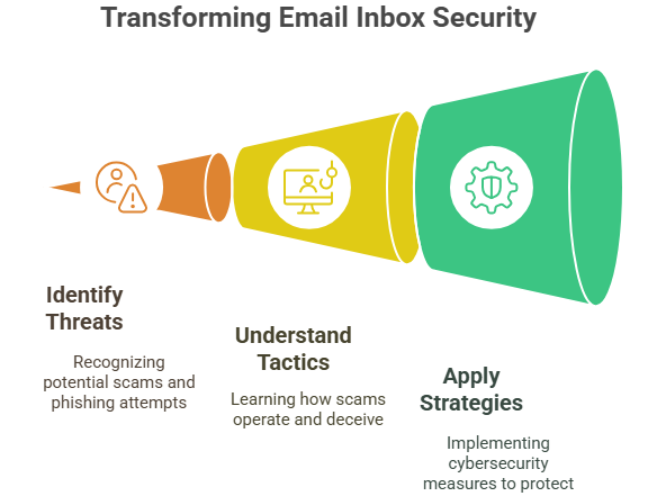
Honestly, my email inbox feels like a constant battleground these days. It’s not just the endless marketing messages; it’s the clever, often surprisingly convincing attempts to trick me, or the people I care about, out of information or money. Email fraud and phishing scams aren’t just abstract concepts you read about; they’re a very real, ever-changing challenge we all face online. It’s easy to feel overwhelmed when you get an email promising “unexpected riches” from some unknown relative or a panicked demand that seems totally out of the blue (like the ones you see mentioned on sites like growleady.io . But trust me, you don’t have to feel helpless against these digital con artists.
Having spent a good chunk of my time wading through the complexities of cybersecurity, I’ve seen firsthand the real damage these scams can cause. More importantly, I’ve figured out and fine-tuned ways to spot these threats and stop them before they do any harm. In this article, I’m going to lay out exactly what I’ve learned and the strategies I use, in plain language, just for you. My aim is to give you the practical, easy-to-use knowledge you need so you can confidently identify email scams, understand the sneaky ways they work, and, most importantly, avoid becoming another victim of email fraud or a phishing attack. Let’s work together to turn your inbox from a potential minefield into a much safer space.
Understanding the Threat: What is Email Fraud and Phishing?
At its core, email fraud and phishing are simply attempts to trick you using email, usually so someone can get their hands on your cash or your sensitive personal information (check out hooksecurity.co for more on this). Think of it like a digital version of a con game. The scammer pretends to be someone or something you’d normally trust – maybe your bank, a company you do business with, or even someone you know – all to manipulate you into doing something that benefits them. Their main goal? To exploit your trust and grab valuable stuff like passwords, credit card details, or even trick you into approving a fraudulent payment (clean.email has some great info on this).
While the basic idea is simple deception, the ways they go about it can be pretty varied. Standard phishing emails are often sent out to huge lists, just hoping to snag anyone who might be a customer of the company they’re pretending to be. But things get more serious with “spear phishing,” which is laser-focused on specific people, and “whaling,” which targets big shots like company executives. From my experience, the reason these tricks keep working isn’t just about fancy technology; it’s because they’re incredibly good at playing on our human emotions – things like fear, urgency, and even a bit of greed. They create this sense of pressure that often makes us act before we really think. And here’s a really important point: because these attacks rely on being deceptive, not necessarily on technical hacking, absolutely anyone can be a target, no matter how good you are with computers.
Recognizing the Red Flags: My Tried-and-True Signals
Over the years, I’ve developed a bit of a “spider-sense” for sniffing out suspicious emails. It’s not magic; it’s just knowing the tell-tale signs. Scammers often rely on a few common tricks that, once you know what to look for, really stick out. Here are the key red flags that instantly make me suspicious, and should do the same for you.
First off, seriously inspect the sender’s email address. Does it perfectly match the company or person it claims to be from? Often, scammers will use addresses that are almost right but have a tiny typo, or they’ll use a free email service (like @gmail.com or @yahoo.com) for what should be a professional company email. For example, I once got an email supposedly from a big bank, but the address was “support@baanksecurity.com.” That extra ‘a’ was a dead giveaway. Also, be wary of super generic greetings like “Dear Customer.” Legitimate companies you have a relationship with will almost always use your actual name.
Another huge warning sign is the language itself. Phishing emails are notorious for weird grammar, awkward phrasing, or just plain spelling mistakes that no professional organization would ever let slide. I’ve seen some emails that are frankly comical, like asking me to “rectify the un-conformities in my account forthwithly.” While everyone makes mistakes sometimes, a pattern of really poor language is a massive clue. Plus, be on high alert for language that’s urgent or threatening. Scammers love to create panic – claiming your account is about to be shut down, you owe taxes right now, or there’s a security breach (us.norton.com has good info on these tactics) – to rush you into doing something without thinking. This pressure tactic is something I’ve seen used time and time again.
Be incredibly careful about any email asking you to hand over personal information directly, especially passwords, credit card numbers, or bank details. Legitimate companies you have an account with will never ask you to send this kind of sensitive information via email. They’ll typically tell you to log in to their secure website yourself, directly through your web browser, not by clicking a link in the email. This brings me to another crucial point: do not click on links or download attachments unexpectedly. Always, always hover your mouse cursor over a link before clicking (just hover, don’t click!) to see the real web address it’s pointing to. If the URL looks fishy or doesn’t match where you expect to go, it’s almost certainly a phishing attempt. I once got an email that looked exactly like a shipping notification, but when I hovered over the “Track Shipment” button, the URL went to a totally unrelated, sketchy-looking site. Trust your gut – if something feels “off,” it probably is (hoxhunt.com has some great examples of these).
Finally, be suspicious of emails demanding weird payment methods like gift cards, wire transfers, or cryptocurrency, especially if there’s a sense of urgency or some dramatic story attached (the consumer.ftc.gov website warns about these). These methods are hard to trace and are a favorite of scammers for that very reason. Knowing these red flags is honestly your absolute first and most important defense against email fraud and phishing scams.
My Proven Strategies for Protection
Knowing the warning signs is vital, but being proactive is just as, if not more, important. Based on years of protecting myself and helping others stay safe, here are the strategies I use religiously and highly recommend to build a strong shield against email fraud and phishing attacks. These are the absolute essentials in my cybersecurity toolkit.
My number one rule, the one I will shout from the rooftops, is to always, always verify requests independently. If you get an email from a company or person asking for information or action, especially if it feels urgent or out of the ordinary, do not reply directly to that email, and do not click any links in it. Instead, reach out to the company or person through a totally separate, confirmed channel. This means calling them using a phone number you know is legitimate (from their official website or a document you already have), or logging into your account directly by typing their official website address into your browser (don’t use the link from the email). I once got a very convincing email that seemed to be from my credit card company, reporting a fraudulent charge and asking me to “verify recent activity.” Instead of clicking, I called the number on the back of my actual credit card. The real company confirmed the email was a fake. That one simple step saved me from a near miss.
Next up on my list of must-dos is using strong, completely unique passwords for every single online account and using a reliable password manager. Data breaches happen, and if you reuse passwords, a scammer getting hold of one password from a compromised site means they might have the key to many of your other accounts (securitymatt.medium.com explains this well). A password manager creates complex passwords for you and stores them securely, so you don’t have to try and remember dozens of different combinations. It’s a simple step that seriously boosts your security.
Crucially, turn on Multi-Factor Authentication (MFA) or Two-Factor Authentication (2FA) absolutely everywhere it’s offered. This adds a critical second layer of security beyond just your password. Even if a scammer somehow gets your password, they’d still need that